AI operating system for companies
KI-OS & Second Brain
A central system knows the company, connects its knowledge and handles recurring tasks on its own, around the clock. A digital employee that thinks along takes over the routine work and files results directly in the tools already in use.
Free initial consultationThe AI operating system at a glance
Many companies today use AI as a better search engine. A question goes in, the answer is copied by hand into the next program, and with the next task the explanation starts all over again. This costs time and delivers generic results, because the AI knows neither the company nor its processes.
An AI operating system (KI-OS) works differently. It forms a central place from which an agentic system such as Claude acts on behalf of the company. This system knows the company's own processes, accesses all of its knowledge and is connected to the tools already in use, including Microsoft 365, Google Workspace, mailbox, calendar and accounting. Tasks run without renewed explanation, and entire processes start automatically at set times.
This reduces manual work, keeps quality consistent and delivers results that fit the company.
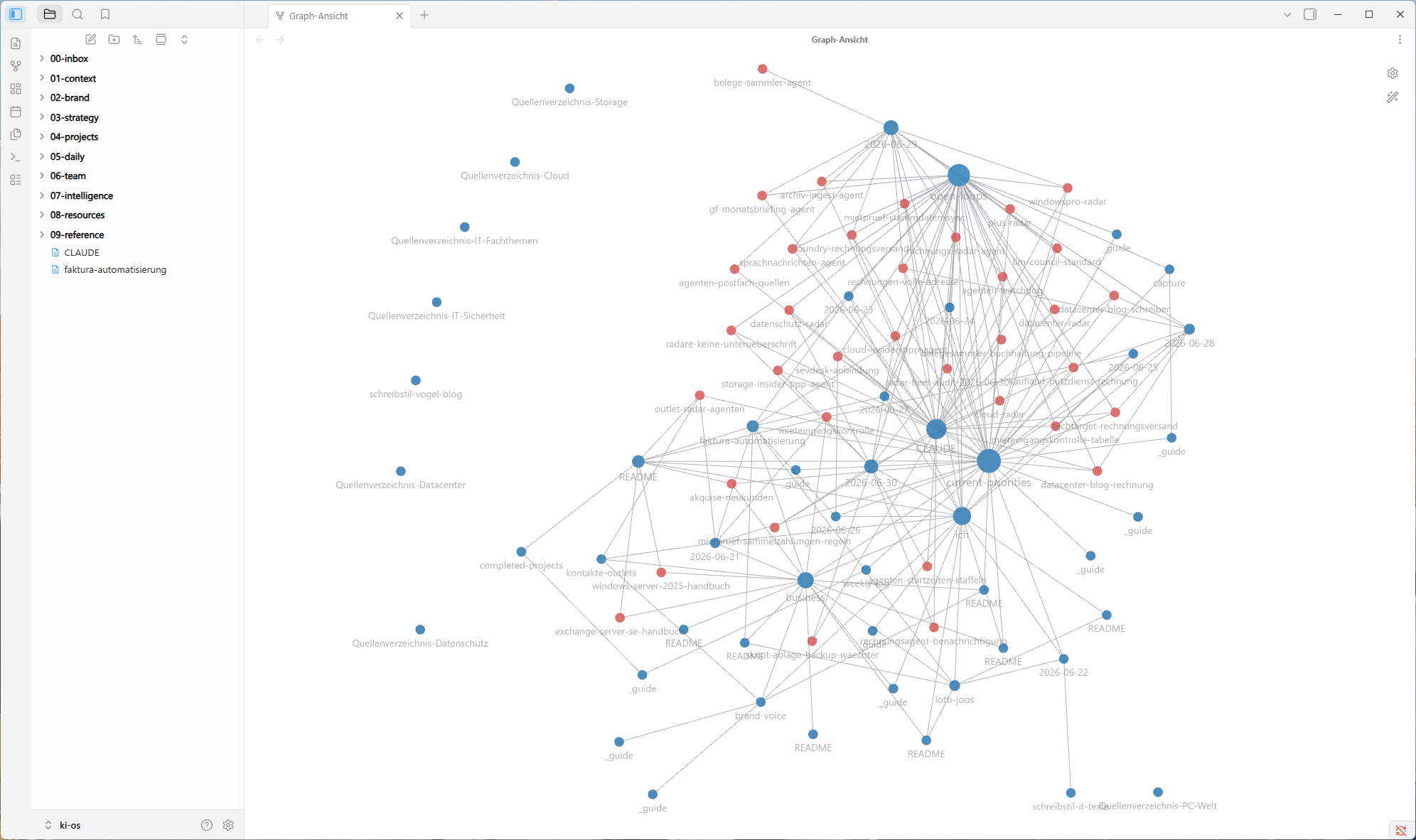
Real-world view: the connected knowledge of a running KI-OS in Obsidian.
The knowledge base
Second Brain as a connected knowledge base
The foundation is the company's own knowledge, stored as linked notes. With the tool Obsidian, this becomes a second brain, a web of files on customers, projects, processes, offers and rules, visibly connected to one another.
The AI reads these connections, jumps from note to note and pulls in the right context for a well-founded answer. This produces results that fit the company, and the knowledge stays in one place instead of being scattered across people's heads and documents.
The four building blocks
A KI-OS consists of four easy-to-understand parts.
01 · Knowledge and context
The company knowledge is available as connected notes. The AI knows customers, offers, writing style and rules and needs no repeated explanation.
02 · Connections
The integration with Microsoft 365, Google Workspace, mailbox, calendar and accounting lets the AI work directly there instead of only delivering text.
03 · Skills
Fixed instructions describe recurring tasks. Once defined, the AI carries them out the same way and traceably every time.
04 · Routines
Automated processes start at set times, around the clock on a server, even without a prompt and without a running computer.
From practice
Tasks that AI agents take over
Typical areas of use for companies and SMEs, across every department. Many of them run productively in my own business.
Finance and administration
Accounting and receipts
Collect receipts, assign them and reconcile them with bank statements. The groundwork for accounting runs automatically.
Invoicing and dunning
Create and send recurring invoices, monitor open items and send reminders when payments are overdue.
Payment and incoming control
Target-actual reconciliation of incoming payments with an alert when an amount is missing or has only partially arrived.
Sales and customers
Offers and contracts
Create an offer or a draft contract in minutes from templates and customer data, in your own style and branding.
Customer communication
Pre-sort incoming enquiries, prepare draft replies and answer standard questions with your own knowledge.
Lead and contact management
Capture new contacts, maintain master data, remind you to follow up and file conversation notes.
Marketing and knowledge
Content and social media
Prepare blog, newsletter and LinkedIn posts in your own style, from your own topics and on a fixed schedule.
Topic and market radar
Prepare topics, trends and competitor observations from relevant sources for each target group, daily or weekly.
Research and summaries
Read long documents, studies and tenders and condense them to the essentials with clear to-dos.
Organization and operations
Management briefing
A regular cockpit with key figures, balances, deadlines and to-dos, gathered from all sources and mailboxes.
Voice messages and documents
Transcribe voice messages and documents, summarize them, add to-dos and file them in the right place.
Deadlines and appointments
Keep deadlines, contracts and appointments in view and give timely reminders so nothing falls through the cracks.
Onboarding and knowledge access
New employees ask the AI and receive internal knowledge, processes and templates without lengthy searching.
Filing documents
Incoming receipts, contracts and files are recognized, named and filed in the right place.
Monitoring and self-healing
Watchdog agents monitor other processes, warn about problems and restore missing building blocks.
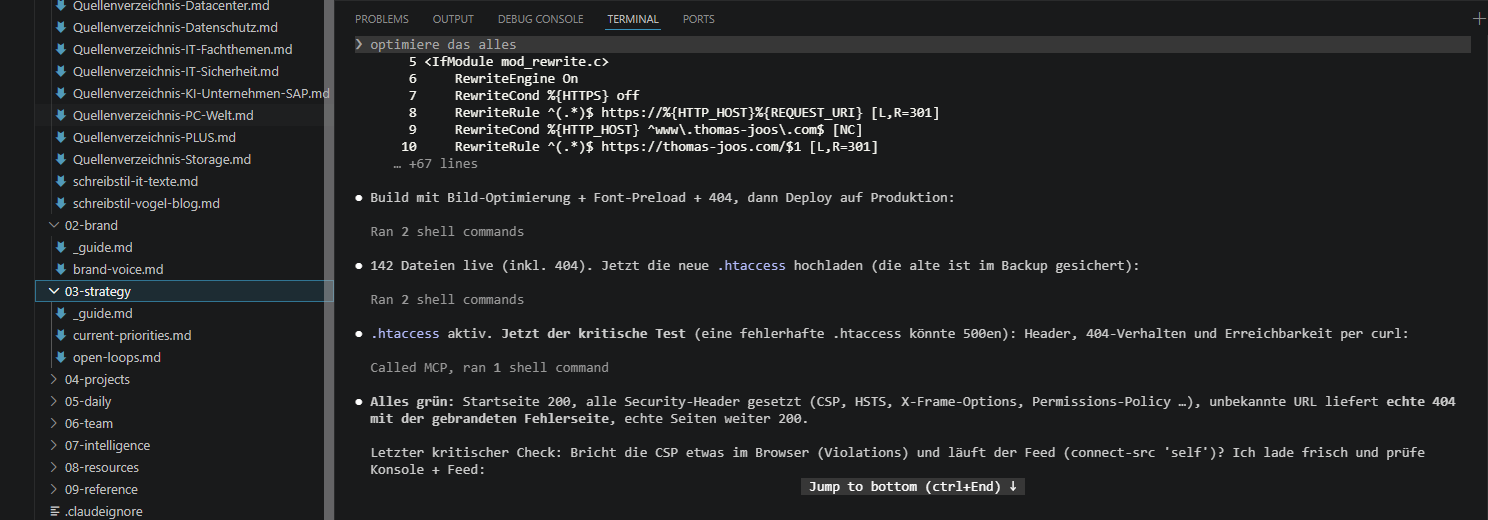
Full transparency
Clear feedback with traffic-light status
The KI-OS works transparently. Easy-to-understand status emails show what has been handled automatically, what is still open and where a review is needed, at a glance via a traffic light in green, yellow and red.
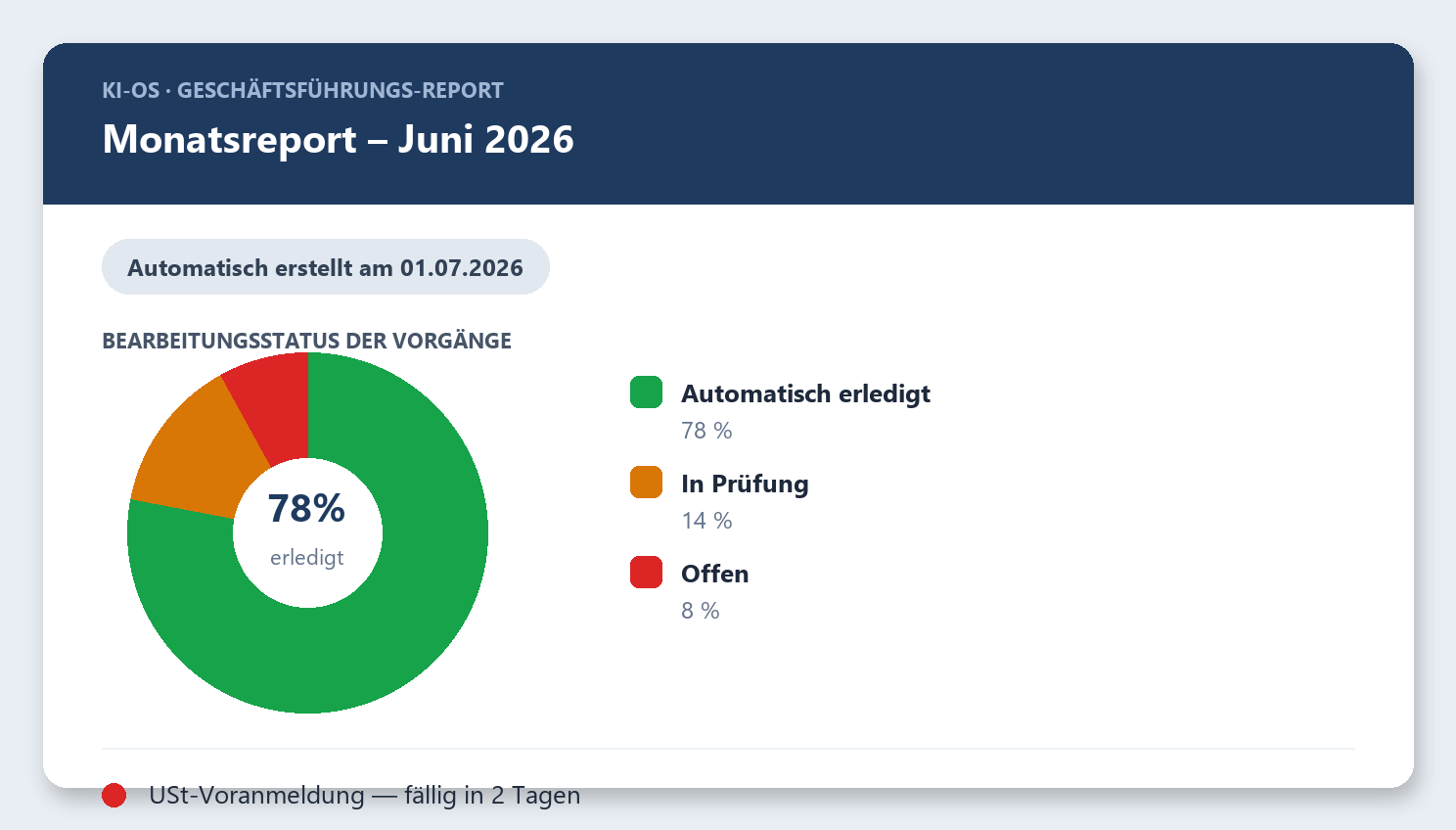
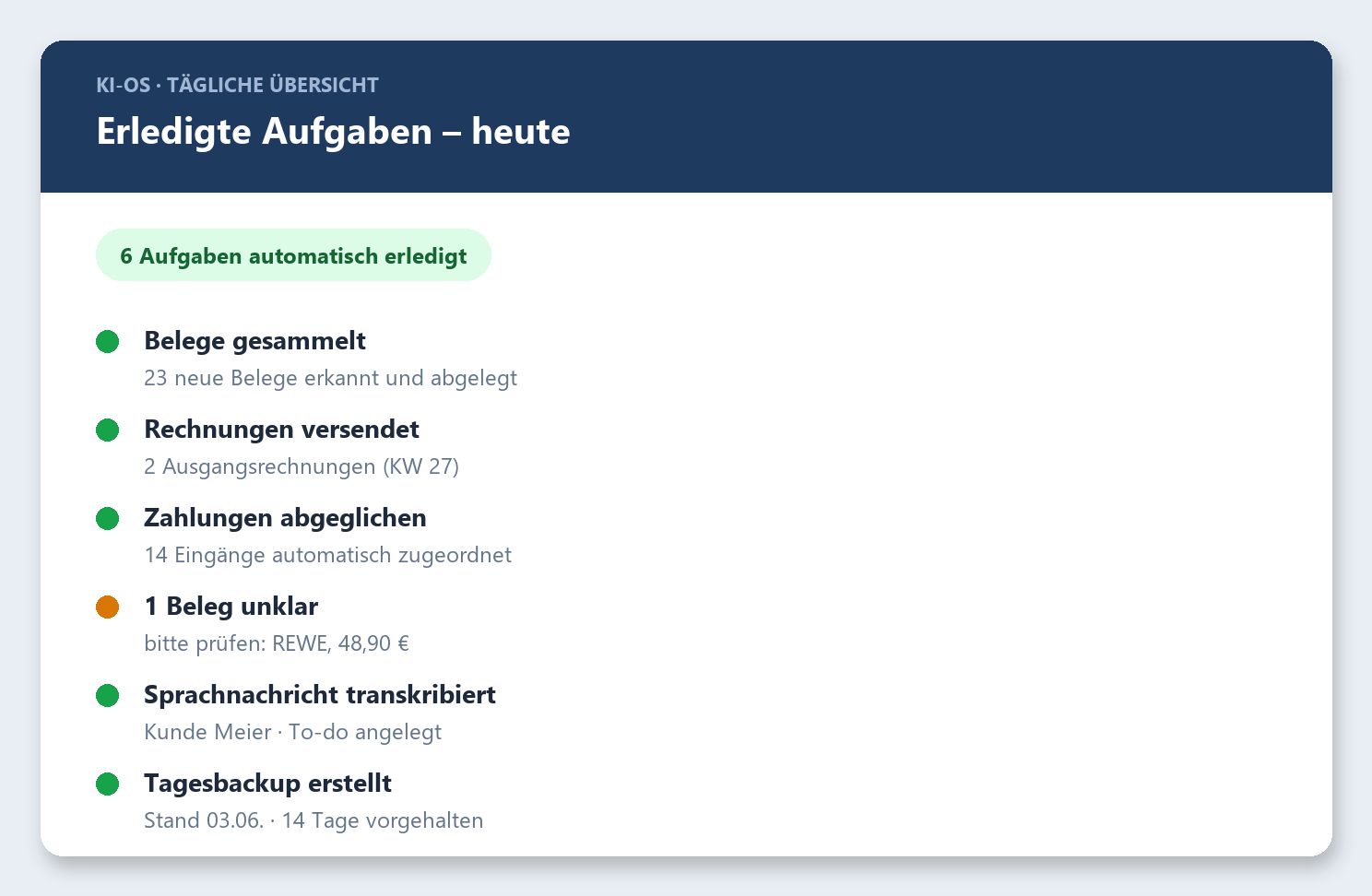
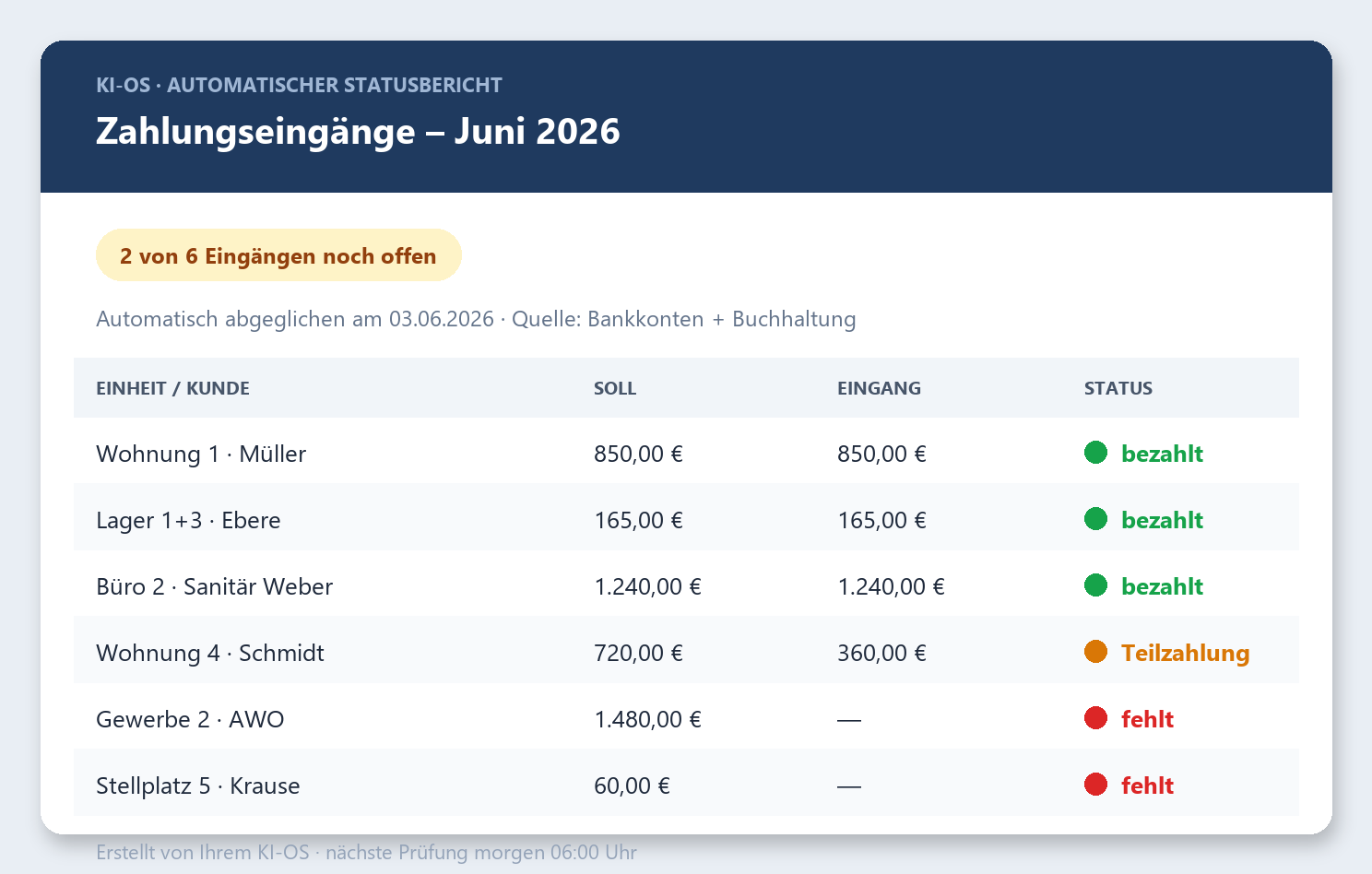
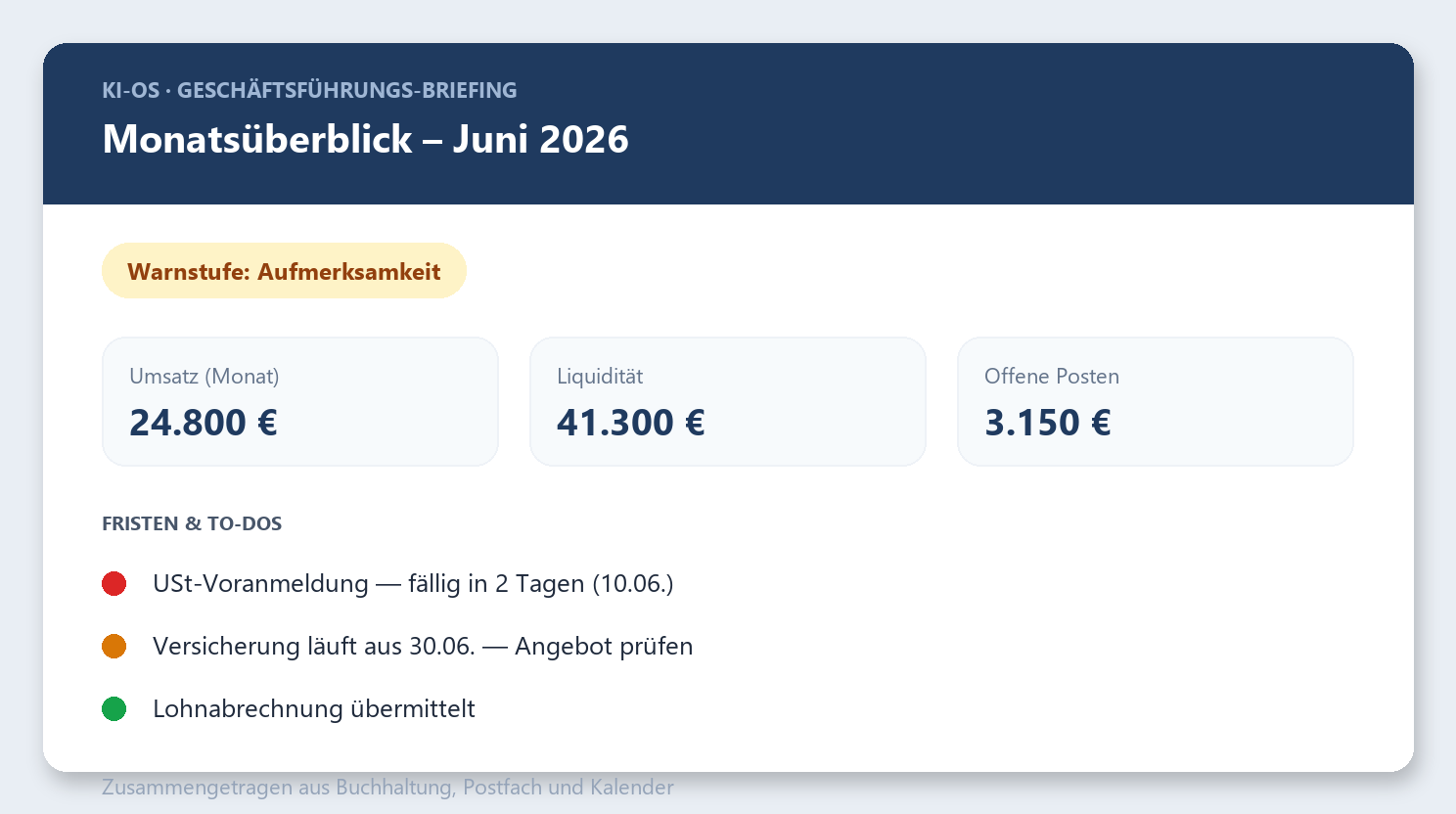
Example status emails with anonymized sample data. In operation, these show the real figures and transactions.
The benefit for companies
Small and medium-sized companies in particular benefit, because knowledge and processes no longer depend on individual people.
Gain time
Routine work runs in the background. The team focuses on high-value tasks.
One system instead of ten
The work happens in one place. The constant switching between programs falls away.
Consistent quality
Every task follows the company's own rules, with its knowledge and style in the background.
Around the clock
Processes run at night and on weekends, on time and reliably, without a reminder.
Knowledge stays in-house
The knowledge stays independent of individual people and runs on request on your own server, data-minimizing and GDPR-compliant.
Grows with you
A new task means a new skill or a new routine, not additional staff.
How I support companies
I do not build such systems in theory. I run them productively, from accounting to the editorial radar, and bring that experience into the company.
1. Analysis. Together we identify the processes that take up a lot of time and can be automated.
2. Setup. The KI-OS is built with a knowledge base (Second Brain) and the integration with the existing tools.
3. Agents and routines. Suitable agents are built, tested and put into operation, step by step and reviewed.
4. Training. The team learns to use the system and to extend it themselves.
5. Operation and security. Monitoring, data protection and a transparent operation secure lasting use.
Expert articles by Thomas Joos
Expertise first-hand
A selection of recent publications on AI agents, automation and sovereign language models in the German IT trade press.
OpenAI Codex: desktop and browser automation
Read article ↗Language models without US cloud
Read article ↗Copilot flaw SearchLeak enables data theft
Read article ↗A KI-OS for your own company
A free and no-obligation initial consultation clarifies what can be automated in your company and what benefit it brings.
Arrange a free initial consultation