AI agents · Sovereign operation · Automation
From a chat window to work that runs on its own
More than half of all companies work with AI. Only a fraction earns money with it. I show where the gap comes from and build the agents that close it.
Watch demoAdoption has outrun the returns
A survey by the ifo Institute puts the share of German companies working with AI software at 54.4 percent, up from just under 41 percent a year earlier. A sobering finding stands against that number. The MIT study The GenAI Divide puts the share of generative AI projects without measurable business value at 95 percent. Only five percent reach productive operation, against investments of 30 to 40 billion dollars.
The distance between those five percent and everyone else rarely comes down to the choice of model. It sits before and after: in the data foundation, in who answers for a result, and in the handover into daily work. That is where I start.
of companies use AI
Adoption is growing fast, up from just under 41 percent the year before. Getting started is no longer the hard part.
reach productive operation
Every other project stalls in the pilot stage or delivers no value anyone can put a number on.
call their data fully integrated
In Cloudera's Data Readiness Index 2026, almost four in five IT leaders see their initiatives held back because access to all the data they need is missing.
I write about AI and run it myself
I have worked as an IT journalist and technical author for more than thirty years, with over a hundred books and several thousand articles. In 2026 alone, some fifty feature articles on AI have appeared, among others in ComputerWeekly, iX, Security-Insider, BigData-Insider, DataCenter-Insider and Communications of the ACM.
In parallel, a fleet of some sixty agents runs my own operation, covering accounting, mailboxes, research and monitoring. The examples on this page come from that operation and from my own GPU lab, not from vendor material.
Nine jobs that run here every day without a hand on them
All of these were manual work before. Each one now follows fixed rules and speaks up only when a decision is due.
Invoices find their own way in
An agent searches the mailboxes for receipts, renames them to a fixed scheme and files them in the monthly folder. Anything missing shows up as a list at month end instead of a pile on the desk.
Unpaid invoices surface early
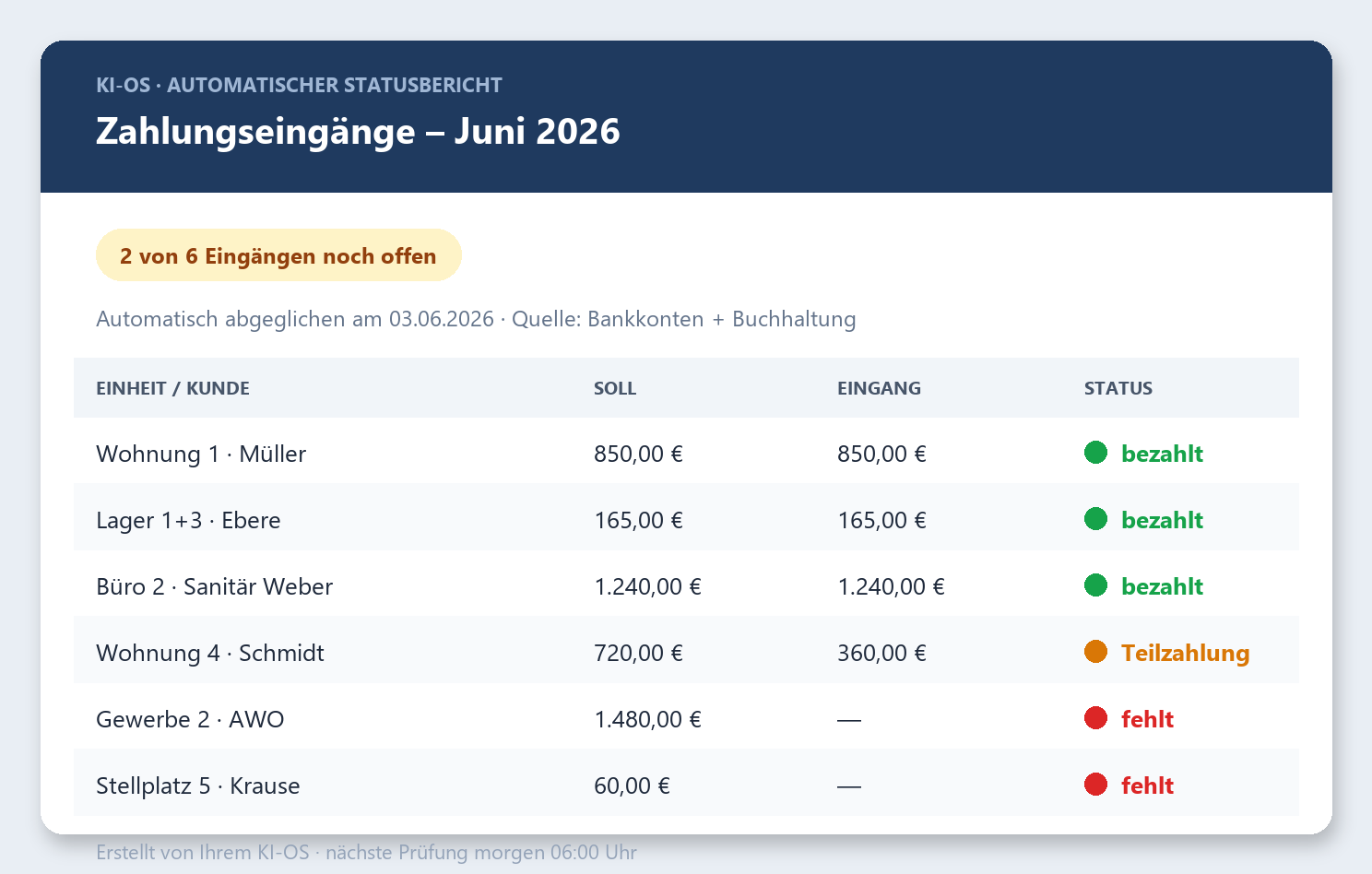
Issued invoices are matched against bank transactions. If one stays open too long, an alert arrives with amount, date and customer, rather than waiting for the next look at the books.
Partial payments get matched
The agent matches incoming payments to the amounts expected, even when the sender differs or only part of the sum arrives. Where the match is uncertain, it flags the case instead of guessing.

Due dates announce themselves
Tax dates, official notices and contract deadlines are pulled from mail and calendar. The reminder states the amount, attaches the document and checks first whether payment has already gone out.
The day starts with a short list
Before work begins, several mailboxes and calendars are condensed into the items of the day that cannot be moved. Anything already settled is left out.
The inbox sorts itself
Automated confirmations go to the bin, a rejection gets a friendly reply, everything else lands in the right folder for a human. Existing customers are excluded from all of it.
Material is waiting in the morning
Overnight, an agent collects sources, full texts and video transcripts for the next day's topic. That took the yield from a handful of sources per assignment to thirteen or fifteen.
Topics arrive on their own
One agent per subject area watches the field and proposes topics every month. It checks each idea against the publication's own site and drops what has already appeared.
One agent watches the others
When a run fails to happen, a watchdog reports it with the cause and a suggested fix. This supervision is missing from nearly every AI project, and without it no automation deserves trust.
Three questions decide the outcome
They come up in every project, whatever the industry or size. Answering them early saves the expensive rebuild after the pilot.
Location and data control
A cloud API, your own GPU node or a workstation. The answer follows how sensitive the data is, not the brochure. For regulated organisations, running models in house is a realistic option for the first time.
Identity, permissions and attacks
An agent acts on behalf of a person and often lives for minutes. Without its own identity and narrow permissions, the audit log ends up naming a human who did nothing.
Data, throughput and the bill
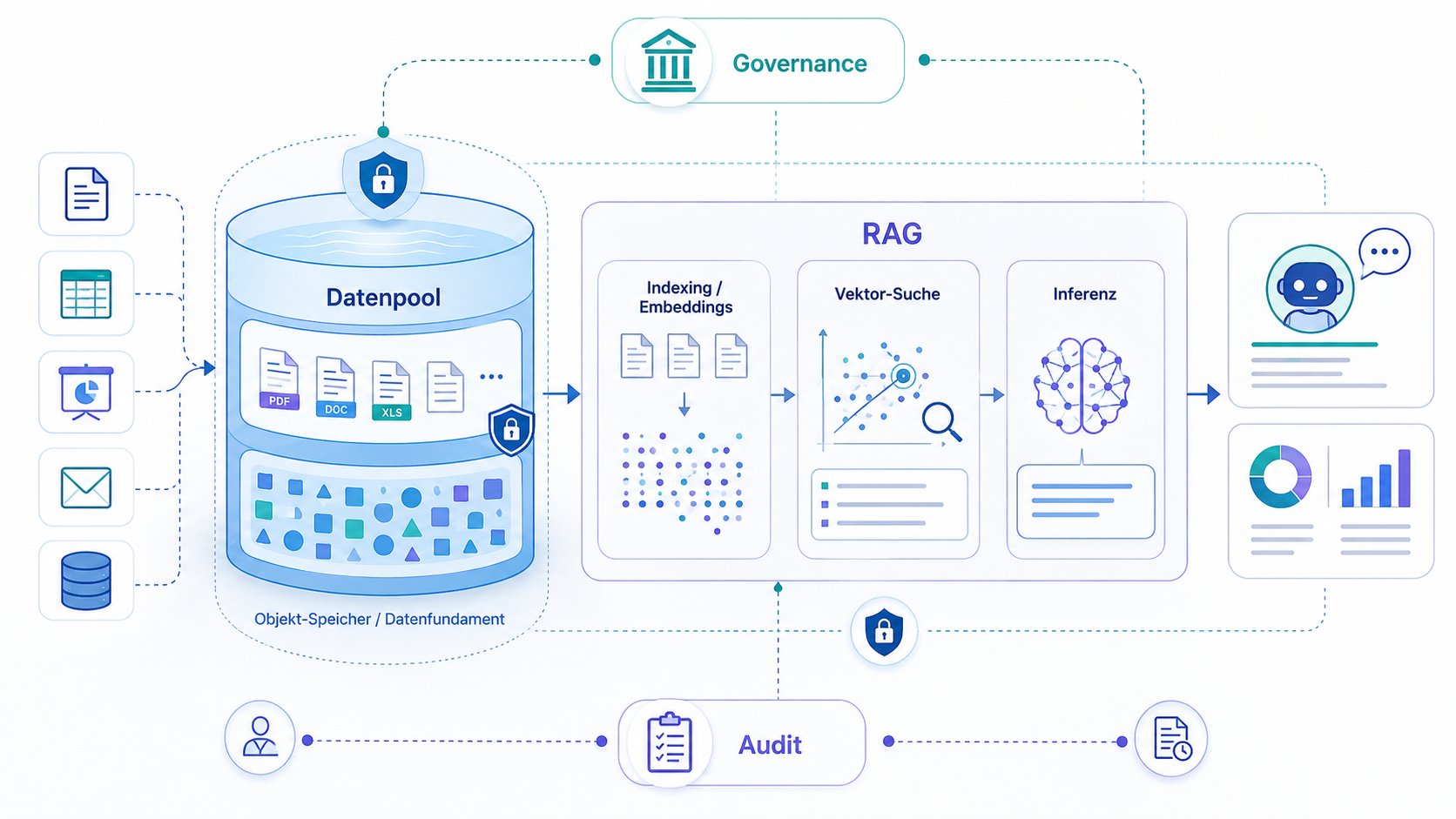
The largest item is rarely the model itself. The money goes into preparing data, into the storage that feeds the GPU, and into requests handled by a model that costs more than the task warrants.
Running your own models now adds up
The supply side has shifted. Mistral Large 3 ships with 675 billion parameters under the permissive Apache 2.0 licence, and model families from DeepSeek and Qwen are free to download. On routine work, the quality gap to the closed frontier models has narrowed enough to reopen the build-or-buy question.
Sizing starts with memory. A model with 70 billion parameters needs around 140 gigabytes at 16-bit precision. At four bits per parameter that drops to 40 gigabytes, and for extraction and classification work the loss in quality stays small.

Bandwidth beats compute
Every generated word reads all active weights from memory once. A 40-gigabyte model on a machine with 800 gigabytes per second therefore tops out at 20 words per second, whatever compute figure the datasheet advertises. When buying, bandwidth per euro is the number that matters.
The fallback site needs reserved hardware
A backup model is worthless if no GPU is free at the second location. Three options qualify: a managed inference service from Europe, your own node in the data centre, and a sovereign region of a large provider under European operation. Each carries a different cost structure.
The serving stack follows the load
On workstations, llama.cpp runs even without a GPU and sits underneath Ollama. In the data centre, vLLM takes over and batches many concurrent requests. The choice governs throughput and latency, not the quality of the answers.
An agent allowed to act is a target
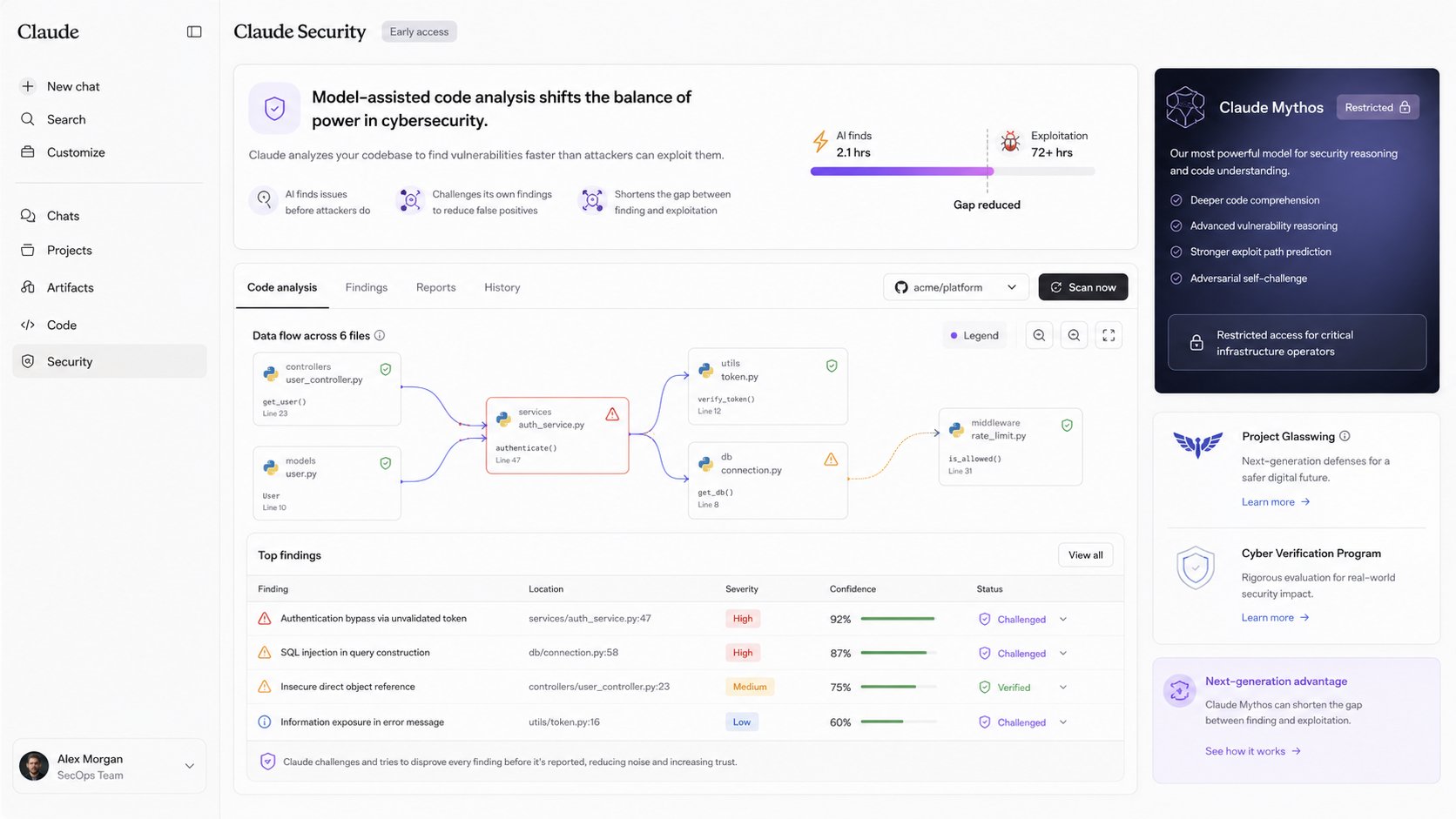
Prompt injection exploits a basic property of language models and cannot be removed entirely. The model does not reliably separate an instruction from text it is merely supposed to read. A planted line inside a document can therefore turn into a command.
Effective protection rests on layered controls in four places: the input, the model, the output and the permissions. The OWASP list for LLM applications and the NIST taxonomy describe the same logic. No single layer suffices; together they lower both the odds of success and the damage done.
Why classic user accounts do not fit
A user account is created once and lives for years. An agent starts, works for two minutes and disappears, borrowing the permissions of the person it acts for. The target system is then left with a query at 03:14 that no human triggered.
The usual workaround makes it worse. A shared service account needs the union of every permission any agent might ever require, and revoking it halts all workflows at once.
The workable route runs the other way. Each agent proves its identity cryptographically, the borrowed permissions stay traceable to the person who delegated them, and a single point enforces them.


Article on AI agents as an attack path into SAP
For the SAP learning platform of Espresso Tutorials I examined how an AI agent becomes a way in through the Model Context Protocol – tool poisoning, rug pull and confused deputy on a rebuilt case, set against what SAP documents itself.
Prompt injection via MCP: the AI agent as an attack path into SAP
Espresso Tutorials, Gleichen · "Expert Article" format · around 25,000 characters
"Congratulations on the publication of your article! I am delighted about this project."
Not every request needs the priciest model
A model router sits as a control layer between the application and several language models. For each request it decides by cost, latency, required quality and confidentiality which model answers. For decision-makers, the guiding question moves from the best model to the right combination of models.
What the control layer does
It picks the model, sets provider and region, spreads the load and absorbs outages. A confidential request stays in house while a summary goes to a cheap model. Open components such as LiteLLM can be self-hosted; commercial gateways take the operations off your hands.
The bottleneck often sits in storage
Storage infrastructure governs how fast a model answers in production. Three quarters of the IT leaders surveyed name infrastructure limits. Planning throughput to the GPU, where the cache lives and how data spreads across tiers saves an expensive retrofit later.
Three steps to productive operation

Assessment
We go through the daily routines and look for the tasks where automation pays off. The result is a list with effort and expected benefit for each one.
Build
I build the first agents together with their permission model and logging, matched to the systems already in place. Risky steps run as drafts for approval before they go live.
Operation
The agents run in daily business under supervision. If a run is missed or an interface changes, the watchdog reports it before anyone acts on a wrong result.
A conversation settles more than a quote
Write to me about the task that eats the most time in your company. I will tell you whether an agent is worth it and what it costs.
Request a first consultation